When the Internet Blinks: A Four-Hour Blackout Plan for Small Businesses
When the fiber line gets cut, the card terminal goes dark, or a storm knocks out power for half a day, most small businesses do not need a data-center-grade failover plan. They need to get through the first four hours without losing the day. That is a different problem, and it is far cheaper to solve.
At Mongoose Solutions, we routinely see owners spend thousands on a generator and then realize nobody has a printed list of the alarm company, the payment processor, or the landlord. The fix is not another subscription. It is a small, deliberate kit and one page of instructions that anyone on the team can follow. You can assemble a solid version for under $500.
Start with the first four hours
Do not try to keep every system running. Pick the handful of things that actually stop revenue: phones, payments, access to key contacts, and enough power to keep a phone and a laptop alive. Email can usually wait an hour. The shared drive can wait. The coffee maker is on its own.
Write down what happens first, who decides, and who gets called. Keep that page in the kit and in a shared folder. If the only copy lives on the server that just went down, it is not a plan.
Connectivity: one hotspot, one different carrier
Your primary internet connection is a single point of failure. A dedicated mobile hotspot or a phone with tethering is the cheapest backup. Expect to pay $50 to $150 for the device and $20 to $50 a month for a prepaid data plan. Buy it from a carrier that is different from the one feeding your office internet if possible. If your wired provider and your backup hotspot ride the same network, a regional outage can take out both.
Test the hotspot at your actual address, not at the store. Coverage maps are optimistic. Keep the hotspot charged and the SIM active. A dead backup is just a paperweight.
If you use VoIP phones, learn how to forward the main number to a cell phone from the provider's admin portal. Print those steps. In an outage, you will not want to hunt through email for a login link.
Contacts you can reach when the cloud is down
Your customer relationship management system is wonderful until it is unreachable. Print a short contact list and put it in a labeled binder or envelope. Include the internet provider, phone provider, payment processor, power company, alarm company, landlord, insurance agent, key clients, and your IT support person. Add account numbers and support phone lines, but not passwords. Never put plaintext passwords in a kit that sits in a drawer.
Update the list every quarter. A contact sheet from 2023 is a historical document, not an emergency tool. You can also store an encrypted copy in a password manager with emergency access enabled, but the printed copy is what works when the network is down.
Payments: have a second lane
If the card terminal depends on the same internet connection that just failed, you need another way to take money. A mobile card reader that runs on cellular is a reasonable start. So is tap-to-pay on a phone with a backup carrier. Keep the reader charged and test a small transaction monthly or quarterly so you know the account is active.
Have a backup for invoices, too. A payment link you can text or email from a phone, an ACH option, or a check can bridge the gap. Cash is fine if your business can handle it, but make sure someone knows where the cash box and deposit slips are. Do not write card numbers on paper. That creates a security problem worse than the outage.
Print a small sign that says you are having a temporary connectivity issue and can take payment another way. It sounds trivial, but it keeps the line moving and gives your team something to point to.
Power for the devices that matter
A small uninterruptible power supply for the modem, router, and one point-of-sale device can buy you 30 to 60 minutes. That is enough to finish a transaction, send a message, or shut down cleanly. Expect to pay $80 to $150 for a unit in the 600 to 1000 VA range. Do not plug a laser printer into it unless you enjoy disappointment.
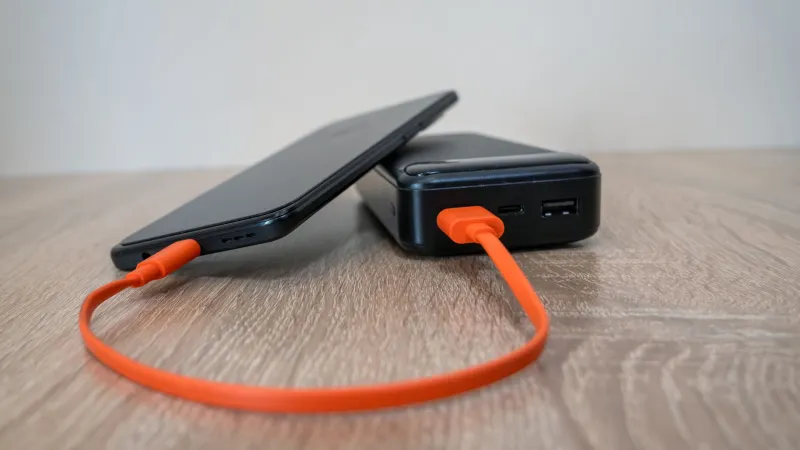
For phones and laptops, a portable power station or a large battery bank is more useful than another fancy surge protector. A $150 to $250 power station can keep a phone, hotspot, and laptop running for hours. Label the cables. In a hurry, nobody wants to guess which USB-C brick belongs to the card reader.
The sub-$500 shopping list
A practical starting kit looks like this: a hotspot and first month of service, roughly $100 to $150; a small UPS, $80 to $150; a portable power station or battery bank, $100 to $200; a mobile card reader, $30 to $60; a printed contact binder and signs, $20; and a few labeled cables, $20. That lands near $500 without trying to build a bunker. If you already have a phone with tethering, spend the savings on a second carrier SIM and a better battery.
Write the one-page runbook
Keep the instructions to one page. List the outage types: internet, phones, power, payment processor. For each one, write the first three steps. Name the person who makes the call. Include the phone forwarding steps, the backup payment steps, and a short message template for clients. Put the page in the kit and in a shared drive that synced before the outage.
Drill it once a year
A kit you have never opened is a guess. Once a year, unplug the main internet connection for 45 minutes. Have someone who does not normally handle IT try to get the hotspot working, forward the phones, take a test payment, and find the contact list. Write down what broke. Then fix it.
The drill does not need to be dramatic. It needs to happen before the storm, not during it. Resilience for a small business is not a big budget item. It is a few deliberate purchases and one page that tells people what to do when the internet blinks.